Logi Dock Flex

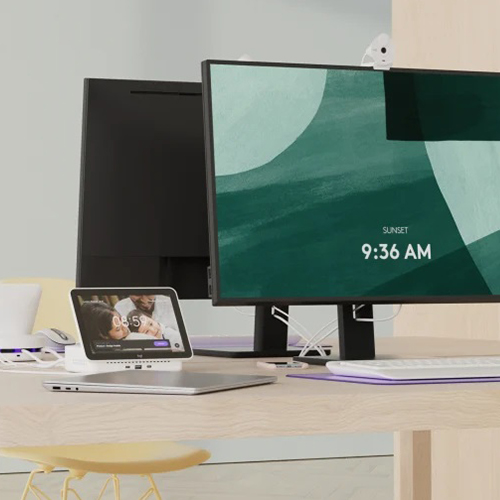
Days in the office are more productive and enjoyable when we spend them with our favourite coworkers. Promote onsite work with Logi Dock Flex, a managed docking station that enables easy and personalised desk booking for employees and simple device management for IT. A multi-purpose dock that can easily be integrated and managed with Microsoft Teams, Zoom Workspace Reservation or Logitech’s own desk booking service for a simple and consistent user experience.
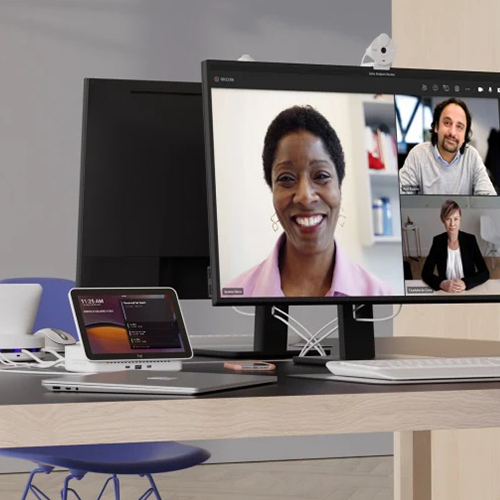
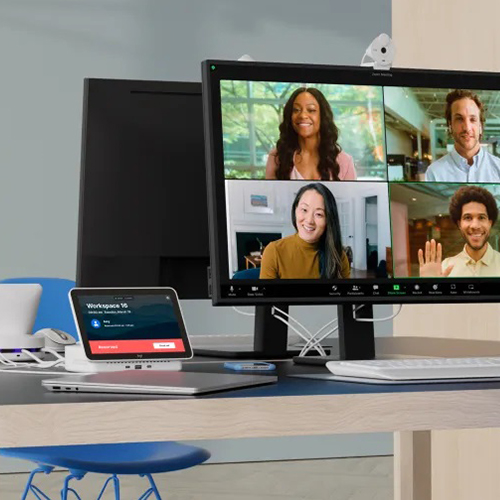
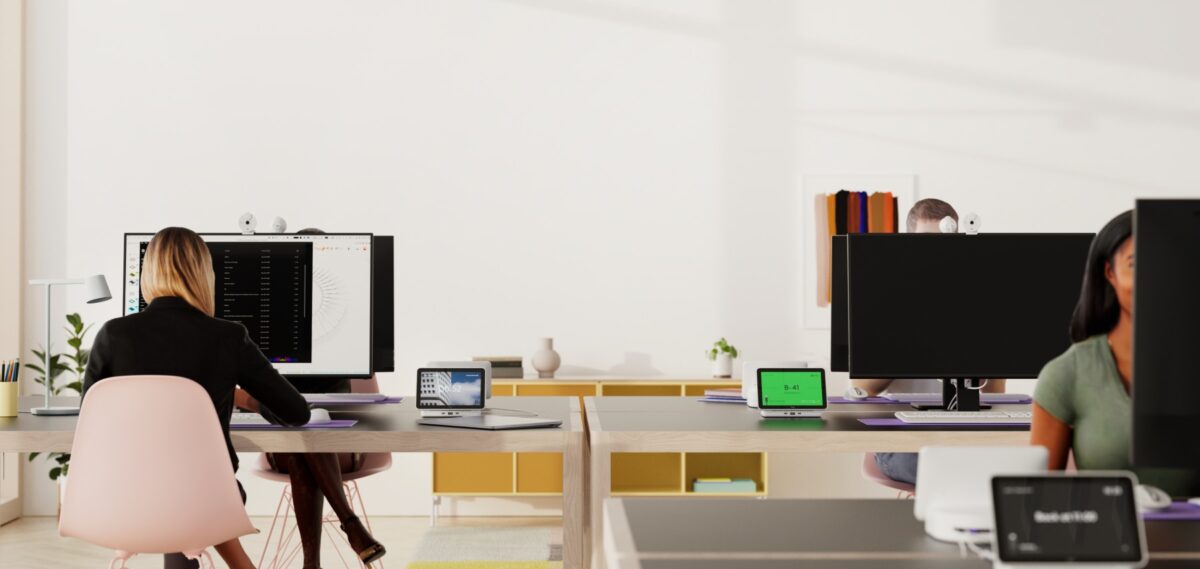
Logitech’s desk booking enables employees to easily find and reserve desks, choose desks near coworkers, and notify colleagues when they’re coming to the office. Employees never have to guess which desk is free, occupied, or in between. The 8” screen clearly indicates desk status at a glance.
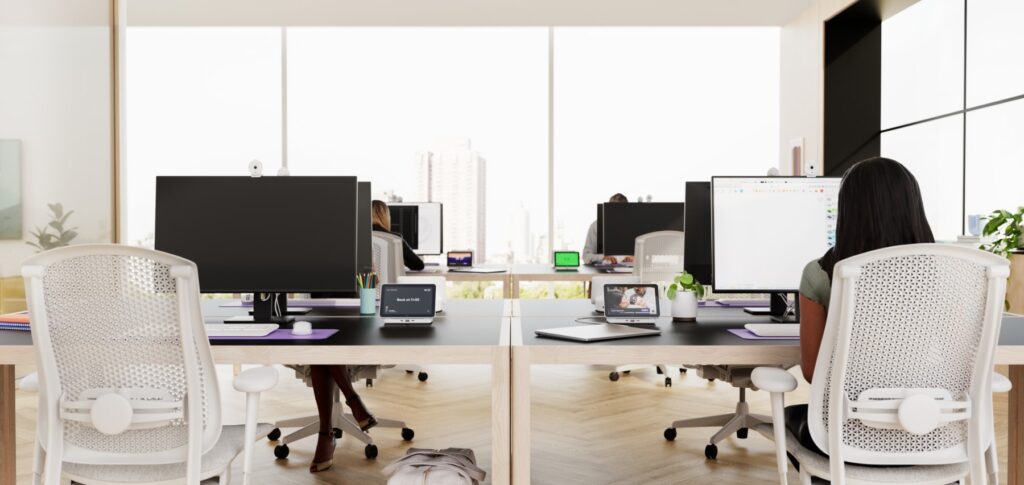
Understand and optimize your workplace

Logi Dock Flex makes it easy to manage shared desks, keep them up to date and ready to go, and gain insights about usage.

Automatic check-in

Employees easily check in to their desk booking by plugging in their laptop. This also grants them access to all desk peripherals.

Gather accurate data

Logi Dock Flex tracks when employees plug in, so you can accurately keep track of office usage for better space planning.

Keep devices connected and running

Get notified right away if a device is disconnected or goes missing so you can resolve problems quickly.

Logi Dock Flex has all the ports you need. Attach up to two monitors with HDMI and DisplayPort. Attach peripherals with three IT-managed USB ports and Ethernet for security. There are also three front-facing USB ports for users.
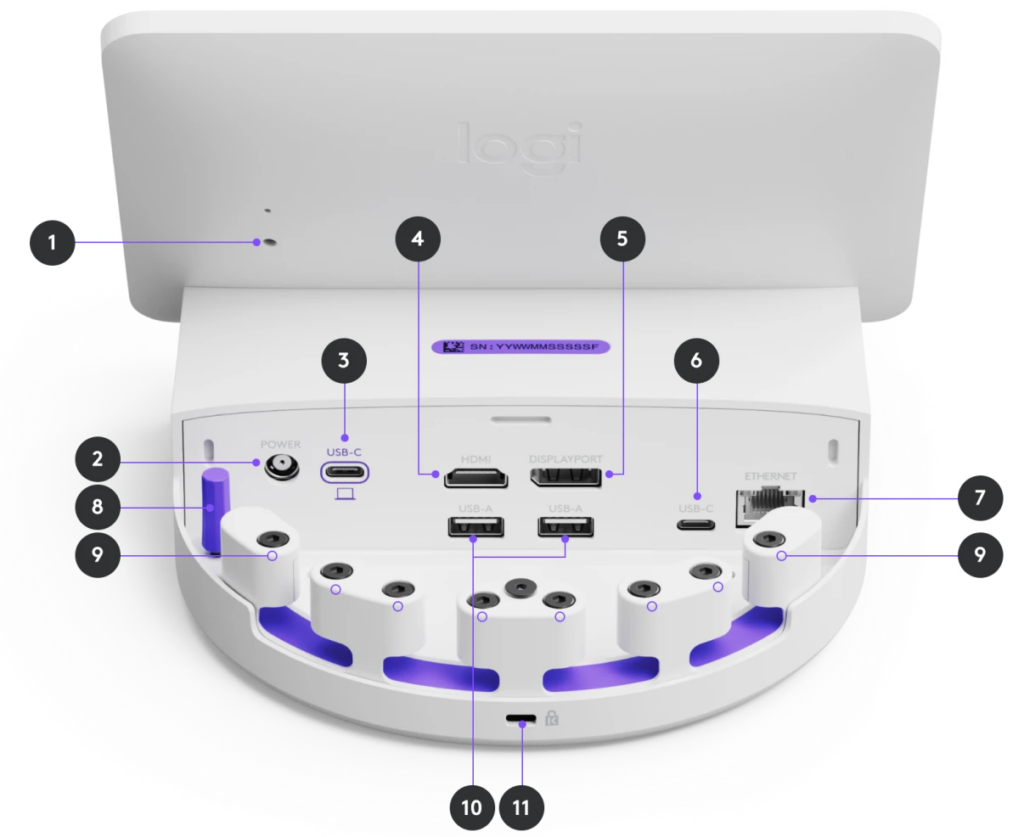
  1. Power/Reset Button
  2. Power
  3. USB-C Upstream 100W
  4. HDMI
  5. DisplayPort
  6. USB-C (USB 3.1)
  7. Gigabit Ethernet
  8. Cable Retention Key
  9. Cable Retention
  10. USB-A (USB 3.1)
  11. Kensington Security Slot

Logi Dock Flex is coming in 2023.

Feature support may vary by provider.
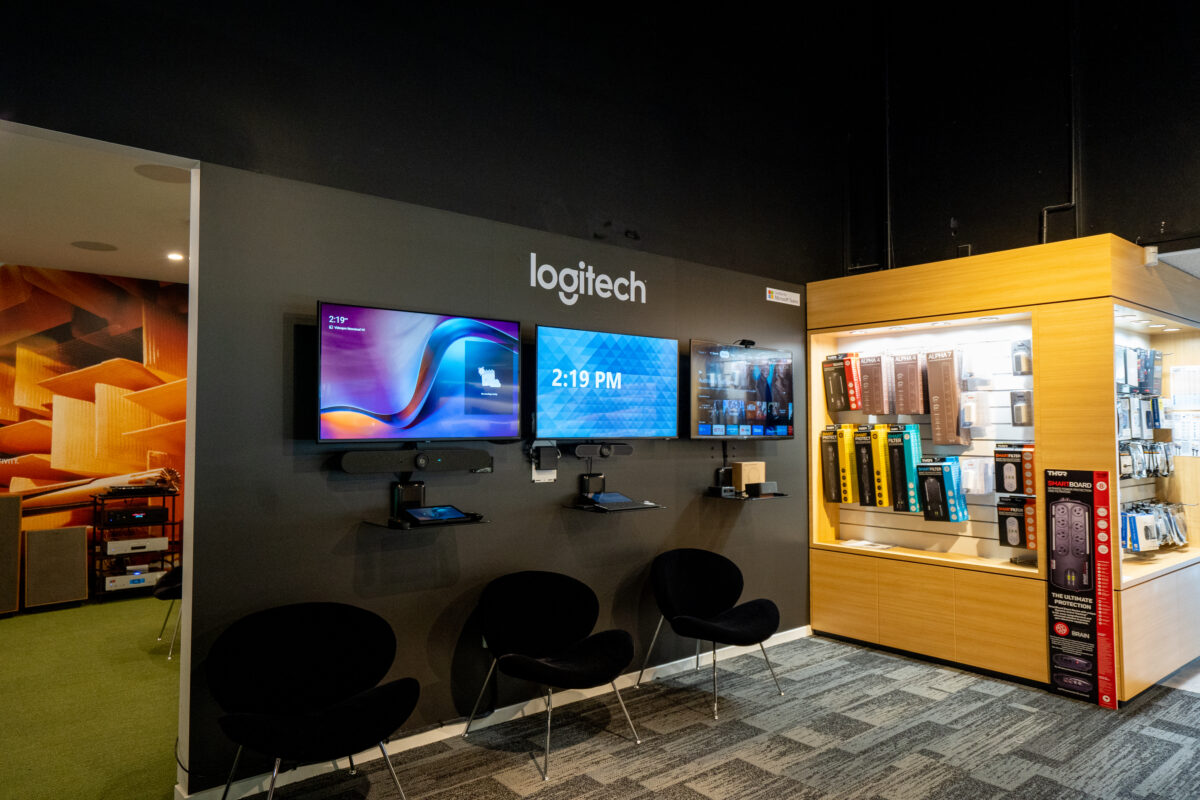
Logitech Video Conferencing Wall

Videopro Newstead is home to the very first Logitech Video Conferencing Wall in Australia. Logitech are leaders in the video conferencing industry and have a whole range of technologies that will help you get the best video conferencing experience out of any meeting room no matter what the size. This display allows users to get hands-on experience with their technology. Join Videopro’s Pat Byrne as he walks you through the three solutions on display.

Solution 1: Logi Dock

The first configuration is a BYOD setup featuring the Logi Dock. This device gives you a speakerphone with a USB hub that connects peripherals such as a keyboard, headphones or web camera all through one cable. This makes it perfect for the home office or those who work remotely.

Solution one includes:

+ Logitech Logi Dock

See more information on the Logi Dock setup.

Solution 2: MeetUp

The second solution suits a small to medium meeting room and features a Logitech MeetUp, which gives you a 4K PTZ camera, three beamforming microphones and a speaker for a quality audio experience. It also has a Logitech Tap which acts as a scheduler and provides you with full control over your Microsoft Teams Room. The Tap also has an HDMI ingest which allows you to bring in your laptop screen directly into the Teams call. These are both driven and connected to your Microsoft Teams NUC.

Solution two includes:

+ Logitech MeetUp 4K Conference Cam
+ Legend AU Power Cable Clover 2M
+ Intel NUC
+ Logitech Tap Jumpstart
+ Logitech Tap Screen
+ Logitech Tap PC Mount

See more information on the MeetUp setup.

Solution 3: Rally Bar Mini

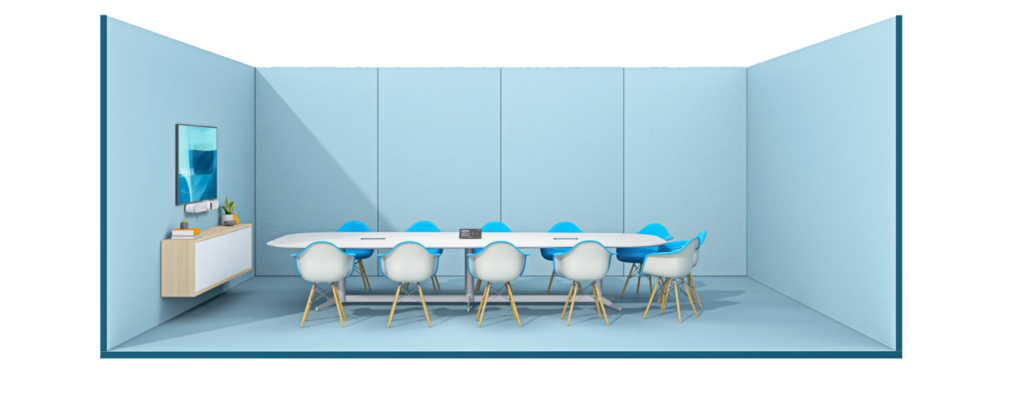
For a larger meeting room, the third option features the Logitech Rally Bar Mini. This conferencing soundbar has a second camera which enhances the auto framing functionality, six beamforming microphones allowing greater coverage across the room, and better speakers that enhance the sound delivery. Both of these meeting room solutions are Microsoft Teams certified.

Solution three includes:

+ Logitech Tap 10.1″ Touch Screen
+ Logitech Rally Bar Mini in Graphite

See more information on the Rally Bar Mini setup.

Experience Videopro

Whether it’s for the home or the business, if you’re looking to enhance your video conferencing, make sure you come in to Videopro Newstead and experience it for yourself.

Logitech Rally Bar

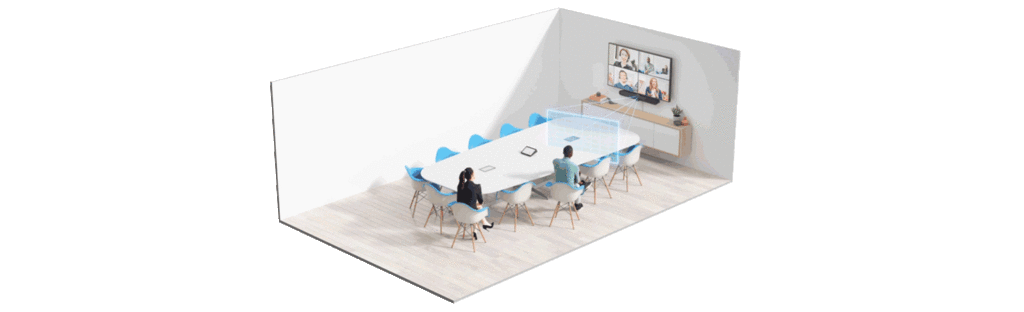
Rally Bar delivers a powerful all-in-one video conferencing experience, featuring brilliant optics, automated PTZ, and high performance audio for midsize meeting rooms. With Rally Bar, video meetings can be just as natural and productive as face-to-face collaboration. It sets a new standard for video meetings in midsize rooms, with expansion options for larger groups and settings.

It’s remarkably simple to use, manage, and deploy at scale, delivering cinema-quality video and audio in a sleek, all-in-one form factor. Plug and play Rally Bar with any PC or Mac, or leverage the built-in compute to run video conferencing applications directly on the device. Rally Bar features a multi-element lens assembly, powerful low distortion speakers, and an advanced mic system to create meeting experiences that sound as good as they look. A dedicated AI camera amplifies RightSight auto-framing and delivers insights about room usage directly to the Logitech Sync dashboard. Upgrade your video collaboration with Rally Bar.

Simple to Set Up

USB Plug and Play
Easily connects to virtually any PC or Mac®, with no additional software required.

Appliance Mode
Built-in compute allows you to run supported video conferencing applications such as Zoom directly on the device.

All-in-One Design
Sleek, minimal footprint expedites setup and reduces clutter.

Streamlined, Flexible Installs
Confidently deploy at scale with smart cable management and multiple mounting options.

Simple to Use

RightSense Technologies
RightSight Detects meeting participants, automatically moves the lens and adjusts the zoom so no one is left out of the picture.

RightLight
Intelligently adjusts video settings in all light conditions so everyone always looks their best.

RightSound
AI-driven voice leveling and unwanted noise suppression deliver outstanding clarity.

One-Touch Join
Optionally deploy with Tap to quickly and easily initiate meetings across Zoom, Microsoft Teams, and other cloud services.

Simple to Manage

Logitech Sync
Single platform to monitor room health and keep devices up to date, plus insights on room occupancy.

Deploy Updates at Scale
Easily propagate upgrades and bug fixes to Rally Bar and your other supported Logitech devices.

Forward-Looking Architecture
Sync API is a robust foundation for new insights and integrations.

Partner Dashboard Support
Fully integrated with partner solutions like Microsoft Teams, Zoom, and others for a simplified device management experience.

Audio

Room-filling sound
Large, ultra low distortion speakers with RightSound convey every word with outstanding clarity.

Adaptive Beamforming Mic Array
Beamforming mics pick up voices at every seat and focus on the active talker while suppressing ambient noise.

Expansion Ready
Add up to three Rally mic pods for even greater coverage in larger settings.

Video

Ultra-HD Video
Brilliantly sharp video, outstanding color, and exceptional optical accuracy at resolutions up to 4K.

Expansive Room Coverage
Motorized lens covers rooms 130° across by 80° high, with lossless image quality up to 5X optical zoom.

Cinema Quality
Logitech RightLight™ technology captures natural-looking skin tones, even in dim or backlit conditions.

AI Viewfinder

Framed to Perfection
A second built-in camera lens has the ability to detect meeting participants, amplifying RightSight autoframing.

See Everyone Clearly
All meeting participants, even late arrivals, are automatically seen and included.

Move About Freely
AI Viewfinder uses scene awareness to keep the camera on the action.